No AutoCAD, no install, no account. A DXF renders instantly and never leaves your machine, because there is no upload. A DWG takes one free conversion to DXF first.
Parses in a Web Worker on your device. Works on desktop, tablet & phone.
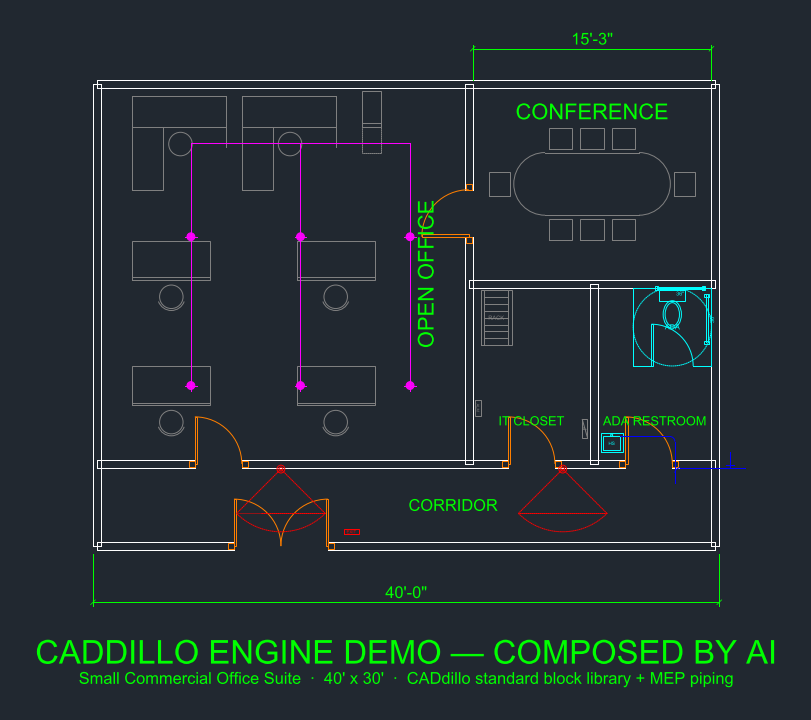
A DXF is two steps away from being on screen. A DWG is three, because the viewer reads DXF and the converter turns your DWG into one for free.
Launch app.caddillo.com in any modern browser - Chrome, Safari, Edge or Firefox - on desktop, tablet or phone. Nothing to install, no account to create.
The viewer reads DXF, not DWG. Drop your .dwg into the free DWG to DXF converter and download the DXF it gives back. Five free conversions a day, up to 10 MB each, with no account. Already holding a .dxf? Skip straight to step 3.
Drag the .dxf in (or use the file picker). It renders instantly - pan, zoom, fit-to-extents, toggle layers on and off, and read live cursor coordinates. Parsing happens in a Web Worker on your own device.
Inspect layers and dimensions, add markup with real draw tools - line, polyline, rectangle, circle, text - then export a clean DXF that opens in any CAD program. Or open the full editor and change the drawing itself.
Step 2 lives here: the free DWG to DXF converter.
The viewer parses and renders your drawing in your browser, in a Web Worker. There is no upload endpoint — the file is read on your own device and stays there. Cloud CAD viewers send your drawing to a server to render it; CADdillo doesn't.
| Cloud DWG viewer | CADdillo | |
|---|---|---|
| Where the file is read | Uploaded and rendered on their servers | Parsed in your browser, on your device |
| Account required | Usually yes | No |
| Opens a DWG directly | Usually yes | No - convert to DXF first, free |
| Works offline once loaded | No | Yes |
| Edit and export | View-only, or paid | Markup and DXF export, free |
The honest trade: a cloud viewer takes your DWG as-is but takes your drawing with it. CADdillo keeps the drawing on your machine and asks for one conversion step in return.
A real CAD entity set, not a thumbnail — built on three.js with a per-layer buffer pipeline tuned for drawings with over 100,000 entities.
Honest limits: text renders as a readable sans-serif label (not a typographic match), HATCH is outline-only, and lineweights/dash patterns draw as thin solid lines. Colors and layers are honored.
Viewing a scan or photo of a drawing rather than a CAD file? imageinseconds.com resizes and converts images, and turns a stack of them into one multi-page PDF — free, in the browser, with no upload.
Yes. The CADdillo viewer runs in your browser with no AutoCAD, no install and no account. DXF files render instantly. DWG files need one conversion step to DXF first — use the free DWG to DXF converter, then drop the DXF into the viewer.
No. The viewer parses and renders your DXF entirely in your browser, in a Web Worker — there is no upload endpoint, so the file never leaves your machine. Confidential vendor drawings and NDA plans stay on your own device, unlike cloud viewers that render server-side.
Lines, polylines (with bulge arcs), circles, arcs, ellipses, splines, text and MTEXT, nested block INSERTs resolved recursively, SOLID/3DFACE outlines, DIMENSION geometry and HATCH boundaries — with per-layer visibility and ACI colors. Text is drawn as a readable label rather than a typographic match, and lineweights/dash patterns render as thin solid lines.
Convert the DWG to DXF first with the free converter, then open the DXF in the viewer. Native in-browser DWG reading is on the roadmap; for now the one-step DXF conversion keeps the whole flow free and fast.
Use the free CADdillo DWG to DXF converter - drop your .dwg in and download a clean modern DXF. No account is needed for five conversions a day, up to 10 MB each; a free account (no card) removes the daily limit and raises the cap to 30 MB. Most CAD programs also Save As or Export to DXF, and the free desktop ODA File Converter does it too. Once you have the DXF, drop it into the viewer and it opens instantly.
Pan, zoom, fit-to-extents, toggle layers, and read dimensions and live cursor coordinates. You can also mark it up with real draw tools - line, polyline, rectangle, circle, text - and export your markup as a DXF. Full parametric editing and block placement live in the CADdillo editor.
Cloud viewers upload your drawing and render it on their servers, so the file leaves your machine and usually needs an account. CADdillo parses the DXF locally in your browser - there is no upload endpoint and no sign-in. The trade is the conversion step: a DWG has to become a DXF first, which the free converter does in one pass.
Yes. The viewer works in mobile Safari and Chrome with one-finger pan and two-finger pinch-zoom. Same privacy on phone and tablet as on desktop — the file is parsed on your device.
The viewer and all 398 professional blocks are free forever. Pro ($20/mo) adds unlimited saved drawings, DWG import/export and monthly AI credits — versus about $60/mo for AutoCAD LT.